LIVE SKETCHBOOK
LIVE SKETCHBOOK
LIVE SKETCHBOOK
This page follows what i've been up to recently, projects i've undertaken, and things i've learnt. I try to update this page weekly to keep it as recent as I can.
I’ve recently undertaken a 3D texture painting project of the Piccadilly Line, designed to be used for my social media banners. As I wanted the banner to showcase my 3D and texture painting abilities, I decided to model and texture everything myself. I really enjoy using texture paint to achieve a more painterly feel within my 3D work, and it’s something I’d like to continue developing further.
This page follows what i've been up to recently, projects i've undertaken, and things i've learnt. I try to update this page weekly to keep it as recent as I can.
I’ve recently undertaken a 3D texture painting project of the Piccadilly Line, designed to be used for my social media banners. As I wanted the banner to showcase my 3D and texture painting abilities, I decided to model and texture everything myself. I really enjoy using texture paint to achieve a more painterly feel within my 3D work, and it’s something I’d like to continue developing further.
This page follows what i've been up to recently, projects i've undertaken, and things i've learnt. I try to update this page weekly to keep it as recent as I can.
I’ve recently undertaken a 3D texture painting project of the Piccadilly Line, designed to be used for my social media banners. As I wanted the banner to showcase my 3D and texture painting abilities, I decided to model and texture everything myself. I really enjoy using texture paint to achieve a more painterly feel within my 3D work, and it’s something I’d like to continue developing further.


The next step is to make this scene move, having the backdrop pan across the landscape, as well as making the light beaming into the scene change and flicker.
...
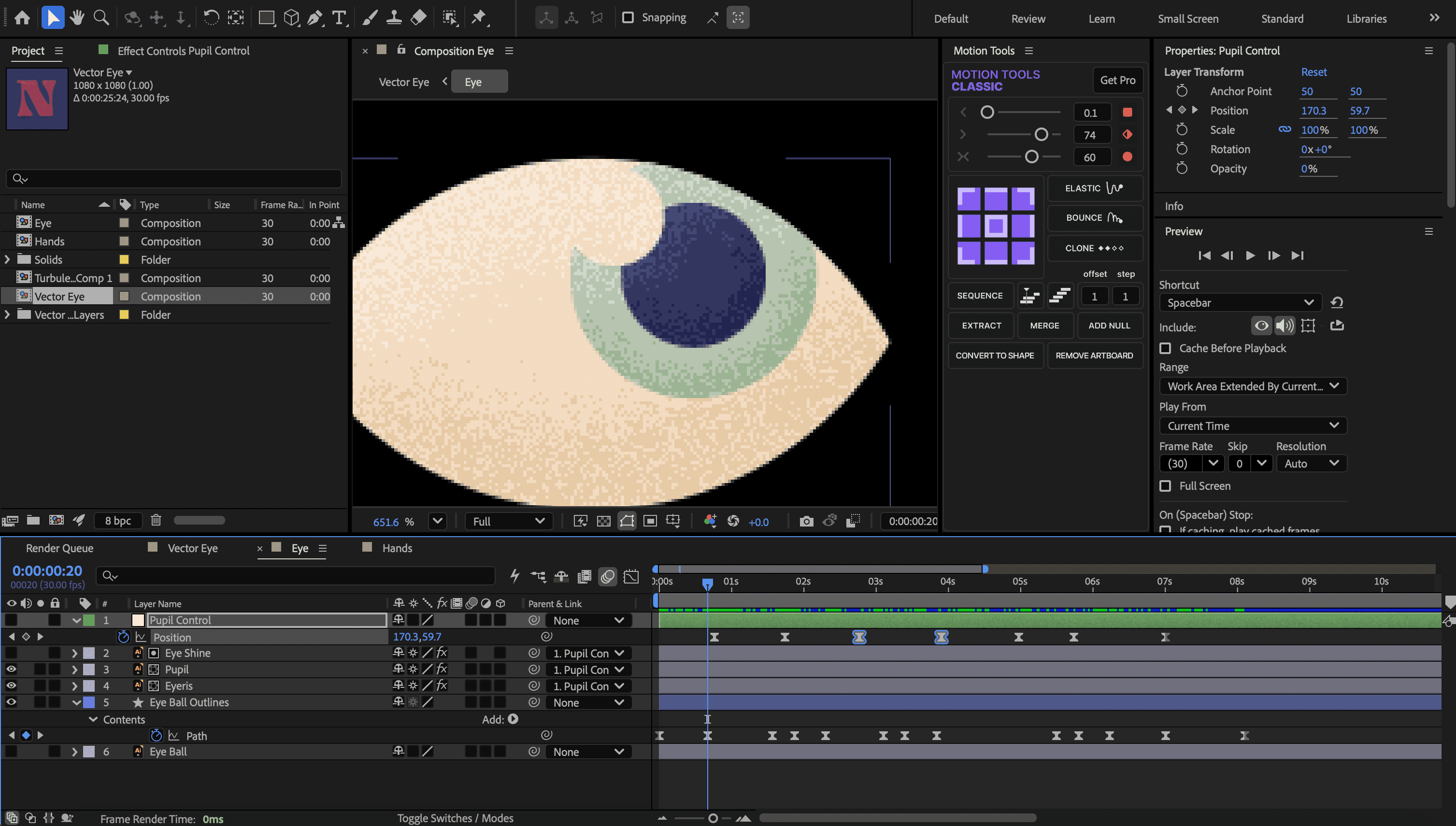
I’ve also been trying to refresh my knowledge of motion design using After Effects. I made two variations of a similar project, featuring eyes opening up from unexpected objects.
The next step is to make this scene move, having the backdrop pan across the landscape, as well as making the light beaming into the scene change and flicker.
...
I’ve also been trying to refresh my knowledge of motion design using After Effects. I made two variations of a similar project, featuring eyes opening up from unexpected objects.
The next step is to make this scene move, having the backdrop pan across the landscape, as well as making the light beaming into the scene change and flicker.
...
I’ve also been trying to refresh my knowledge of motion design using After Effects. I made two variations of a similar project, featuring eyes opening up from unexpected objects.



THINGS I'VE LEARNT:
THINGS I'VE LEARNT:
THINGS I'VE LEARNT:
Using the Bevel and Emboss Layer Style, and setting both highlight and shadow mode to Dissolve, you can achieve a realistic grain effect. Helping to achieve a more grungy outcome, which pairs well with a displacement map effect.
Using the Bevel and Emboss Layer Style, and setting both highlight and shadow mode to Dissolve, you can achieve a realistic grain effect. Helping to achieve a more grungy outcome, which pairs well with a displacement map effect.
Using the Bevel and Emboss Layer Style, and setting both highlight and shadow mode to Dissolve, you can achieve a realistic grain effect. Helping to achieve a more grungy outcome, which pairs well with a displacement map effect.